Building and maintaining websites and web applications is what powers much of the modern internet. From online shopping to streaming platforms, almost every digital experience in 2026 relies on developers working behind the scenes to keep things running smoothly.
This process is known as web development. In this guide, we will explore what is web development, its different types, the technologies and programming languages involved and how modern websites and web applications are built.
Web Development Meaning & Definition
Web development is the process of creating and managing interactive websites and web applications. In 2026, web development is very different from what it was just a few years ago. Earlier, developers manually coded every line from scratch, but today, using automation tools has made web development much smarter and more interactive.
You can compare the website built years ago, and the website of today. Web development has shifted from flat pages to living digital platforms. In the past, websites were just static brochures. Today, they are dynamic systems that update in real time. Modern web development includes:
- Live data streams with content updating without refreshing the page
- Hyper-personalisation, where users get personalised results
- App-like performance
- Cloud scalability for handling heavy traffic
- Instant syncing to match data across all devices simultaneously
Web development includes building, launching, and maintaining websites and dynamic web applications. The scope of this spans from simple, static landing pages to complex platforms including e-commerce website development, social media, and more. For larger organisations, this can involve dedicated enterprise web development teams working on scalable websites and complex digital applications.
Often, web development and website development are used as interchangeable terms because they both refer to the process of website creation, be it static or dynamic.
No matter which term you use, the actual work changes based on the size of the company. In a small team, a single coder wears many hats and manages everything from visual layout to the backend database. In large corporate departments, the work is split among highly specialised teams like frontend experts, database engineers, designers, cloud experts, etc.
These corporate departments providing website development services rely on Agile frameworks to keep their massive operations running smoothly. Agile is a project management method that breaks down giant development projects into small, manageable pieces. So, instead of waiting months to launch a finished website, teams work in quick two-week cycles called sprints to build, test, and release features one at a time. After launch, websites still need regular updates, security checks, performance monitoring, and bug fixes through ongoing website maintenance services.
Did You Know? Today’s developers don’t just write code; they collaborate with AI. Designing interfaces, generating code snippets, testing, error detection, and more, helping to create better digital experiences in less time. In fact, 84% of developers use or plan to use AI tools, according to the 2025 Stack Overflow Developer Survey.
Types of Web Development
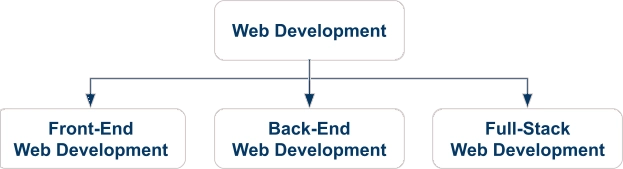
There are three main types of web development: front-end, back-end, and full-stack development. To understand how websites are built, you need to look at these different types of web development. Let’s break down each role one by one to see what they do, what tools they use, and how they compare.
1. Front-End Web Development
Front-end development focuses on the client-side of a website. This means building everything that a user sees, clicks, manages, and interacts with directly on their screen. The main goal here is to create a smooth User Experience (UX) across all devices.
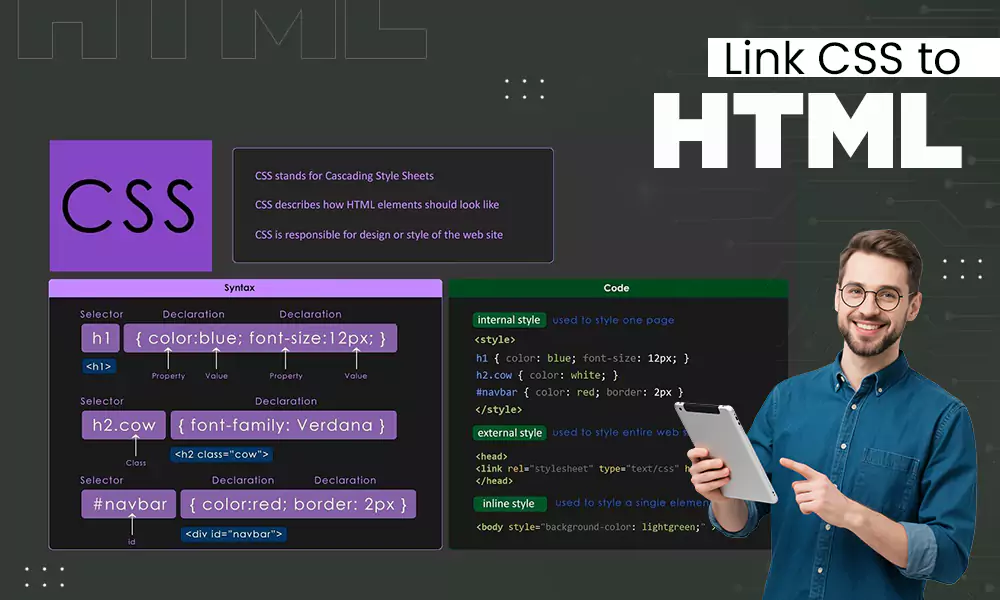
- Core languages: Front-end developers use HTML, CSS, and JavaScript for structure, styling, and interactive features, respectively.
- Modern Frameworks: React, Vue, Angular, Bootstrap, etc. are the powerful libraries used to build reusable UI components.
2. Back-End Web Development
Back-end development is responsible for the server-side of the website. It acts as the engine room of the website and handles all the backstage work, like data, security, and logic that powers the front end.
- Core Languages: Back-end developers write logic using Python, PHP, Node.js, Ruby, or Java.
- Database and Storage: They use data management tools like SQL (MySQL, PostgreSQL) or NoSQL (MongoDB) to store the data.
3. Full-Stack Web Development
Full-stack development covers the entire software stack end to end. A full-stack developer understands both front-end and back-end and can build a complete website by themselves.
- Stack: Programming languages such as HTML, CSS, JavaScript, NodeJS, ExpressJS, Django, and PHP, and various database management systems like MySQL, PostgreSQL, MongoDB, and more.
Web Development Comparison Table
| Feature | Front-End Development | Back-End Development | Full-Stack Development |
Focus | User Interface | Server logic, database and application functionality | Both front-end and back-end development |
| Responsibilities | Building layouts, styling pages, and interactive features | Managing server, database, API, authentication, and logic | Developing and integrating the entire application |
| Core Languages | HTML, CSS, JavaScript | Python, PHP, Node.js, Ruby, Java | Front-end and back-end languages |
| Frameworks | React, Vue, Angular, Bootstrap | Django, Express, Laravel, Spring Boot | MERN, MEAN, Django + React, Laravel + Vue |
| Database | Works with the data displayed only | Manages databases | Handles both database and interface integration |
| Goal | Deliver a smooth and engaging user experience | Ensure data processing and functionality | Build a complete end-to-end web application |
What is Web Technology?
Web technology is the collection of digital tools, protocols, servers, interfaces, and systems that make websites and web applications work. While web development is the process of building websites, web technology provides the foundation that allows those websites to function across the internet.
Let’s look inside this digital toolbox to see everything that powers the modern web.
Core Web Technologies:
These are the technologies that work together behind the scenes whenever you visit a website.
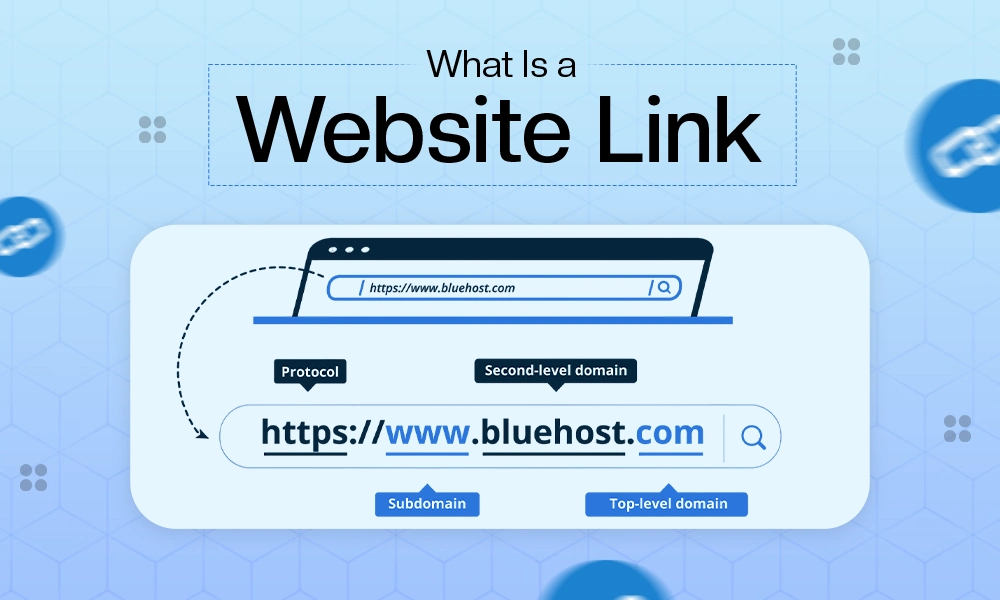
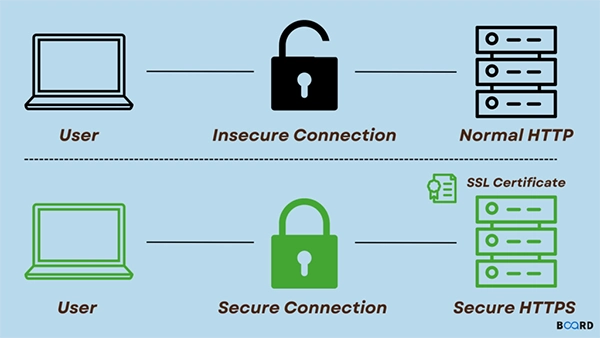
- HTTP and HTTPS: These communication protocols transfer data between your browser and a web server. HTTPS adds an extra layer of security by encrypting the data being exchanged.
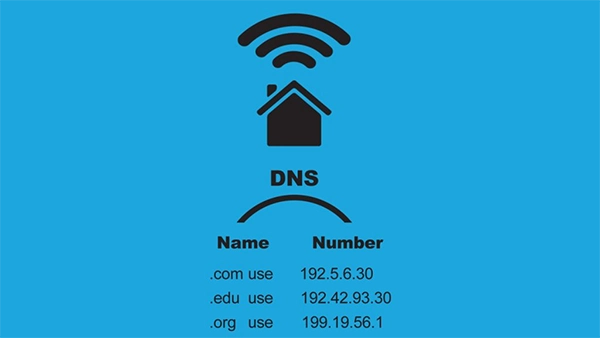
- DNS (Domain Name System): DNS translates easy-to-remember website names into IP addresses that computers use to locate websites.
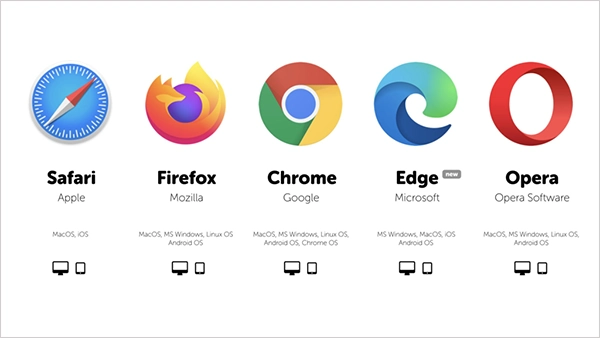
- Web Browsers: Chrome, Firefox, Safari, Edge, etc., browsers retrieve website files and display them on your screen.
- HTML, CSS, and JavaScript: These are the core building blocks of the web. HTML creates the structure, CSS handles the design, and JavaScript adds dynamic features to the website.
Emerging Web Technologies:
- Artificial Intelligence (AI): AI-powered tools help developers generate code, automate testing, detect bugs, and even design a user interface. AI chatbots and recommendation engines have become common features in modern websites.
- Progressive Web Apps (PWAs): Websites that offer a mobile-app-like experience, i.e., faster load times and offline functionality.
- WebAssembly (Wasm): It’s a technology that lets high-performance applications run directly in web browsers.
- Web3: A technology that focuses on giving users greater control over their data and online transactions rather than depending on large companies and centralized platforms.
- Modern Content Management Systems: Platforms like WordPress, Contentful, Strapi, and more help businesses to manage website content easily without editing the code again and again.
Fact: AI is becoming a standard in developers’ lives: 85% of developers regularly use AI tools for coding and development
Without this web technology, developers would have no languages to write in, no servers to store code on, and no protocols to move data across the internet.
Web Design and Development: What’s the Difference?
Web design and development are two different sides of building a website. Design focuses on what you see and feel. So, the web design services make sure the site looks beautiful and matches the company’s brand presence. Development focuses on hidden code that makes the site functional.
Web Design:
Web design handles the layout, colour scheme, typography, and user interface (UI). Designers make sure the site looks beautiful and matches the company’s brand, making it easier for users to understand. They map out the website’s appearance using design tools like Figma or Adobe XD before any coding begins.
Web Development:
Web development takes this static visual design and writes the code and logic that brings it to life. Developers are the structural engineers. They use programming languages to turn a picture of a button into an actual clickable feature, and so for the whole website. Development also handles the heavy lifting, like processing online payments, storing passwords in a database, making sure the page loads fast, etc.
The line between design and coding blurs with front-end developers, who often act as designer-developer hybrids because the new technology forces them to work as a team.
For example, modern trends like Voice UI design, headless CMS tools, serverless architecture, AI-powered design assistants, and more require creative layouts and coding to function. This crossover helps teams to launch faster and more advanced websites.
Web Programming: Languages and Tools
The next main aspect of web development is web programming languages and tools.
Programming languages are the coded vocabularies used to write instructions for a computer.
Developer tools are the software packages that help developers to write, test, package, and launch code.
To help you get a better understanding of these languages and tools, we have compiled the most popular programming languages, frameworks, and developer tools used for web development.
Front-End Languages:
This is where the user experience begins. These tools work entirely inside the browser to build everything you can see, click, and interact with. This part of web development is written using three core languages, often paired with modern frameworks to speed up the build:
- HTML (Hyper Text Markup Language): This is the absolute foundation and structural blueprint of any website or web application. It is used to define the structure of a webpage, organising elements like text headers, paragraphs, images, forms, links, etc., so the browser knows where the content belongs.
- CSS (Cascading Style Sheets): This is the design and presentation layer of the site. Used to control the visual appearance of the HTML elements, managing color scheme, custom typography, spacing, and all. Basically, it is coding the elements so that the design looks exactly like the web designer’s web layout, not just a notepad text code.
- JavaScript: This is the behavioural logic web programming language that is used to add real-time interactivity to a website or a web application. It powers dynamic features like pop-ups, form validations, live data, interactive search bars, etc.
Note: JavaScript appears on 98.9% of websites.
- Front-End Frameworks: A front-end framework is a collection of tools and pre-built components designed to help developers create a visual element for the website. These are the libraries, such as React, Vue.js, and Angular, that are built entirely on top of JavaScript.
Back-End Programming Languages:
Moving further down the web development pipeline, we move from the visual interface to back-end development, which is also called server-side development. The back-end layer is the engine room that processes data logic and handles all requests.
- Node.js: This is an open-source, cross-platform JavaScript runtime environment used by 48.7% of developers. It allows developers to run JavaScript directly on the back-end server.
- Python: Python is a high-level, readable programming language known for its clean syntax. It is the most popular and advanced programming language used in today’s AI world, best for integrating ML and AI models into web applications.
- PHP: Hypertext Preprocessor, or PHP, is a widely used scripting language specifically designed for web development. It forms the backbone of massive global CMS like WordPress.
- Django and Express.js: These are dominant back-end frameworks. Django is a high-level Python framework that provides an all-in-one setup for handling complex server workflows. Express.js is a minimalist framework for Node.js API development.
Database Management Systems:
Every modern app needs a highly secure digital storage to save, store, and retrieve user profiles and data.
- Relational Databases (SQL): Relational Databases rely on Structured Query Language (SQL) to organise data within a database. In this category, PostgreSQL stands out for its advanced data sorting and handling of complex logic. Alongside it, MySQL is highly popular, powering content platforms like WordPress, making it a standard choice for business websites and e-commerce stores.
- Non-Relational Databases NoSQL: Non-relational databases, commonly known as NoSQL systems, are different from storing data in rigid tables. A leading example is MongoDB, which saves the information as dynamic, JSON-like documents rather than fixed rows. This has one benefit: it allows development teams to make changes to data structures without breaking the application. Thus, making it a perfect choice for real-time applications.
- In-Memory Data Caches (Redis): When a web application needs to fetch data in milliseconds, developers add an ultra-fast caching layer like Redis (REmote DIctionary Server) into their tech stack. It stores highly requested information directly inside the server’s temporary memory (RAM), ready for fast processing.
Developer Tools:
Writing code is only one half of the development; developers need specialised environments and tools to share their work.
- VS Code (Visual Studio Code): This is the most used industry-standard code editor where engineers write and debug their code. It is packed with auto-complete features and extensions to write code perfectly.
- Docker: It is a containerization tool that packages application code with all its dependencies into an isolated digital container. It guarantees the app runs identically on a laptop or in the testing environment.
- Vercel & Netlify: These are modern cloud deployment platforms that connect straight to GitHub. They automatically build, test, manage, and launch the frontend layouts across the global networks the moment the code is updated.
- AWS & Google Cloud: These are the cloud computing networks that offer virtual server storage and computing to handle visitors securely.
Version Control Systems:
When multiple developers code at the same time, version control is much needed. It prevents the team files from overwriting each other by sharing the codes with all the developers with the updated changes in real-time.
- Git: This is the core open-source tracking software that monitors every single line of code change locally on your computer. You can roll back to easier versions if something breaks.
- GitHub: This is a cloud based git repository hosting service. All the teams store their code repositories, review patches here, and together collaborate on code changes.
Web Application Development
Web application development is the process of building highly interactive, dynamic websites that let users manipulate the data and perform actions directly inside their web browsers.
A static website represents the simplest form of the web. It functions like a digital brochure, displaying the exact same text and images to every visitor. Modern web development moves far beyond this by creating dynamic websites that pull live data from background storage systems.
When you blend this dynamic layout with deeply interactive features, you cross over into web application development.This process builds full-scale programs like online banking systems, shopping carts, e-commerce platforms, social media, etc., where users can log into secure dashboards and manage data in real time. For large organisations, this may involve enterprise web development to support complex workflows and scalable applications.
You might get confused between a web application and a website, but they are built for entirely different levels of users. While they both load inside a web browser and can look identical, the difference lies in how you interact with them.
Web Application Development Process:
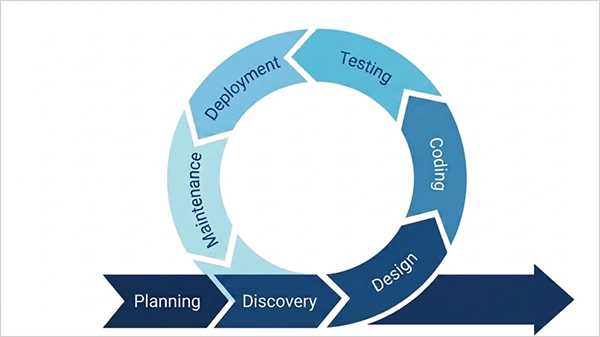
Now that we know what a web application is, how do we actually bring one to life? The web app development process is how you transform the rough idea into a software platform. Instead of just coding blindly, there is a step-by-step pipeline.
Let’s walk through the core stages of how modern web applications are built from scratch.
- Planning & Discovery:
- Researching what problem the application will solve and who will use it.
- Creating clear sitemaps, workflows, and wireframe layouts.
- UI/UX Design:
- Designing the color palettes, typography, guidelines, and page interfaces in Figma.
- Assembling mockups so stakeholders can feel the user flow before coding.
- Documenting a reusable library of buttons, inputs, icons, etc., for developers to copy.
- Coding:
- Front-End Build:
- Translating the designs into HTML, CSS, and JS code.
- Integrating frameworks to build dynamic components of the web app.
- Back-End Build:
- Writing the server code using the environments.
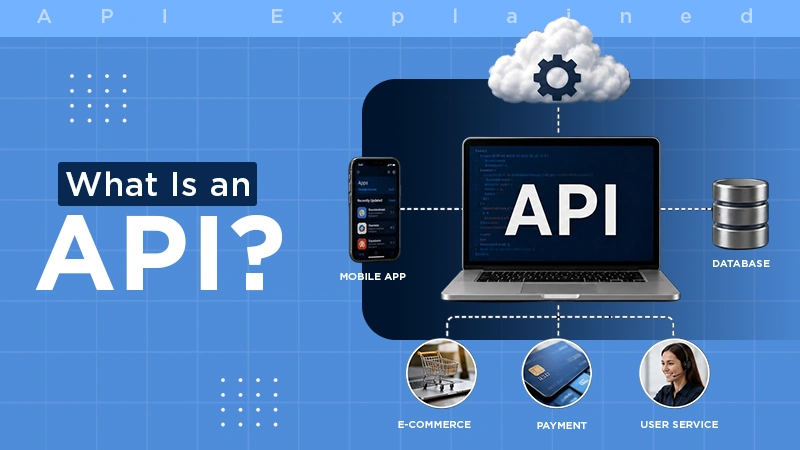
- Setting up APIs to connect the backend to the frontend code.
- Front-End Build:
- Testing and QA:
- Running test scripts to ensure every component is working perfectly and in coordination.
- Conducting various levels of testing, including unit testing, user acceptance testing, integration testing, manual testing, etc.
- Deployment and Maintenance:
- Push the code to the web server, like AWS or Vercel, so the users can use it.
- Regularly maintaining and updating the application. Fixing the bugs and feature enhancements.
How Website Development Works: The Process
To build a website, you first start with planning to map out your site goals and structural layout, then you move to design to craft the visual interface. Next, website development is what you have to do to turn those static designs into live code, followed by testing & launch to catch bugs and take the site live on cloud servers, and finally maintenance to keep everything secure and running smoothly.
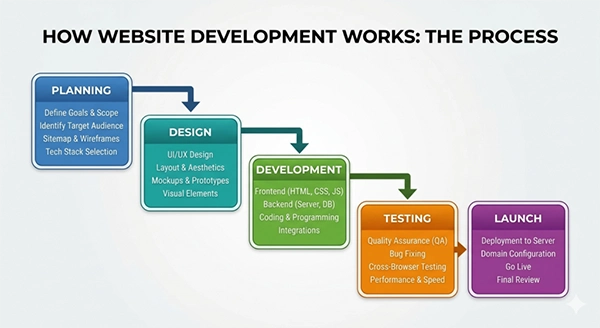
Understanding these steps in detail to see how they help in building a website.
Step 1. Planning
Before typing a single line of code, one must map out the website’s blueprint. This phase sets the foundation for the entire project. With this, the client’s expectations are matched with the engineering team’s strategy to prevent scope issues later on.
- Defining Core Objectives: Identify what problem the website solves and what actions visitors should take.
- Creating a sitemap: Outline the complete directory of web pages and how they link together.
- Listing the features: Research existing market sites to identify must-have features and missed opportunities.
Step 2. Design
The design phase transforms the wireframes into high-fidelity layouts. Designers focus heavily on UI (User Interface) and UX (User Experience) to make sure the interface is visually striking and easy to navigate. This sets the complete brand style, colour palettes, and guidelines for the design of the project.
- Crafting Figma Mockups: Designing a visual representation of every page on the website for both desktop and mobile responsive screens.
- Building Prototypes: Creating clickable design files to mimic the user flow before development.
Step 3. Development
Development is coding to turn the static design pictures into a functional website. Both front-end and backend coding together form a complete website.
- Coding Frontend Interfaces: Coding the website designs into semantic HTML structural layout blocks and CSS style files.
- Adding Browser Interactions: Adding dynamic elements like menus, pop-ups, buttons, forms, videos, etc., using JavaScript code. This makes the user interface react immediately to user actions without slow page refreshes.
- Building Back-End Logic: Configuring the code to the web servers so that the calculations and user requests are processed. It is the core operational foundation for all dynamic sites.
Fun Fact: A backend can function completely without a frontend, but a frontend cannot work without a backend.
- Connecting Databases: Setting up data storage for form submissions, products, etc., so data can be fetched in a fraction of a second.
- Integrating Content Management Systems: Connecting robust platforms like WordPress or Webflow so non-technical users can update text and media of the website easily. This separates the site’s underlying code from the day-to-day writing and publishing.
Step 4. Testing and Launch
Once coding wraps up, the website undergoes strict quality checks to make sure everything works flawlessly. The testing and launch phase hunts for hidden errors and bugs. This is very important to make a perfectly working website or web app.
- Functional Testing: This check tests every button, link, and form. It makes sure the underlying code works perfectly. If a user clicks an item, the right action happens instantly.
- Compatibility Testing: This step checks the site on different browsers, like Chrome, Safari, and on mobile phones, to test their layouts.
- Performance Testing: Checks site speed under heavy internet traffic. It stimulates thousands of virtual visitors at the same time and checks its performance, keeping the server from crashing.
- Security Testing: This step locks down the website’s safety lines. It protects user passwords and private data from digital hackers.
- Usability Testing: In this, testers check how real people use the website. They make sure the navigation menus make sense, and users are able to find what they want on the screen.
Frequently Asked Questions
What is web development in simple terms?
Ans. Web development is the process of writing code to build, run, and maintain websites and apps on the internet. It is a process that makes web pages function smoothly on your screen.
What is the difference between web design and web development?
Ans. Web design focuses on the visual look, layout, colours, user feel and more display features of the site. Web development is the process of designing and writing the structural code to make every element of the website function.
What are the main types of web development?
Ans. The three main types of web development are front-ends (building what users see), back-ends (managing hidden workings of the website), and full-stack (handling both sides of the web development).
What programming languages are used in web development?
Ans. The most used programming languages in web development are:
- Front-end languages: HTML, CSS, JavaScript
- Back-end languages: Python, PHP, Node.js
What is web application development?
Ans. Web application development is the process of building highly interactive websites that act like an app in web browsers, like Netflix or Amazon. These platforms let users log into accounts, manage data, shop, play, complete tasks, etc.
How long does website development take?
Ans. A basic landing page can take just a few days to build manually, while a custom web application can take several weeks or months. In 2026, using smart AI assistants and automation tools is a must to speed up the process and launch platforms faster than before.
Sources:
- The State of Developer Ecosystem 2025 – JetBrains
- Usage statistics of client-side programming languages for websites – W3 Techs Web Technology Surveys