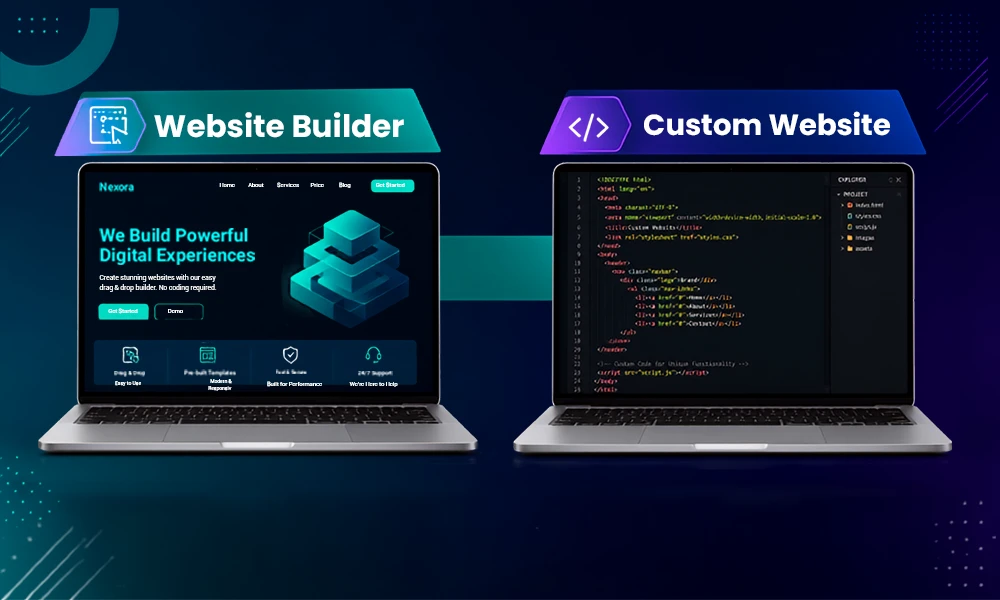
There are many ways to build a website today without needing to know how to code or spend a lot of money. The rise of do-it-yourself website builders means that anyone can create a professional-looking site within hours. No matter if you’re starting a business, launching a blog or building an online portfolio, today’s easy-to-use web builders provide drag-and-drop editors, automated design tools, and built-in SEO features that have made DIY website creation easier than ever. For businesses that need more advanced functionality, website development services can provide a more customized approach.
In this guide to the best DIY site builders in 2026, we’ll break down the different features of the various do-it-yourself site builders available and help you select the best easy-to-use website builder for your needs.
Easiest DIY Site Builders: Quick Comparison
| Website Builder | Suitable For |
| Wix | The best all-around DIY site builder with great AI features and flexibility in terms of design. |
| Squarespace | Ideal for small business owners and creatives who want high-quality professional templates. |
| Hostinger Web Builder | Inexpensive AI-powered site builder that’s great for beginners |
| Shopify | The industry leader for creating and operating an online store |
| GoDaddy Website Builder | The fastest way to create a website and get it online. |
| WordPress.com | Best for writers and those who create a lot of content |
How We Evaluate the Best DIY Website Builders
There are many different types of diy website builders. To determine which website builders are the best do-it-yourself website builder options, we used the following criteria to determine which website builders to include in our evaluation.
1. Easy to use:
The best do-it-yourself website builders must be easy to use; everyone, including those without technical backgrounds, should be able to quickly create and publish their website. Therefore, we looked for easy-to-use platforms using the following criteria when evaluating them: (1) simple, intuitive interface, (2) drag and drop editors, (3) simple set-up process.
2. Website design and template options:
The best website builders produce professionally designed, mobile-responsive templates that are attractive on any device. Therefore, we reviewed website builders to see how many templates were available to various industries and purposes. Businesses that want a more tailored visual experience can also explore professional web design services.
3. AI website builder tools:
Creating websites using AI-powered technology is becoming much more popular due to its emerging developments in how quickly websites can be developed. When evaluating the platform, we sought to determine if they have any AI-powered tools to help create design, content, and automatic setups for building a website.
4. Customizing flexibility:
The best do-it-yourself website builder should have enough flexibility when designing your website so that you have the ability to personalize your website without having to use any coding. As part of our evaluation of each do-it-yourself website builder, we sought to find a balance between simplicity and customization.
5. Search Engine Optimization, or SEO, and marketing characteristics
We examined the numerous tools that help your website appear on search engines through search engine optimization (SEO), including custom meta tags, blog attributes, analytical programs, e-mail marketing, and social media components.
6. Cost or Renewal fees
Several diy website builders promote very low, introductory pricing but charge substantially higher prices once it is time to renew. We compared the initial (one-time) cost of initial site creation, as well as the cost over the long term, to determine the overall value of each product.
7. Mobile editing option
The ability to modify your website from any mobile device is critical for today’s website owners. Our evaluation included testing if a user could edit, modify, and monitor their website from his or her mobile phone.
8. Quality of customer support
The high level of customer support available to a first-time website creator is extremely beneficial for diy website creation. We assessed the quality and responsiveness of each company’s live chat, e-mail support, knowledge base, and tutorial documentation by performing each of these support methodologies ourselves.
Best Tools reviews
1. Wix – The Easiest Way to Build a DIY Website
Wix’s custom templates and AI website builder, which uses their drag-and-drop editor, is one of the most user-friendly and easiest site to make a website
It regularly ranks high for those who want to build their own DIY site, as it has a great mix of both ease of use and flexibility. No matter if the site you are creating is for personal use (such as a blog), business website, portfolio, or online store, Wix offers hundreds of professionally designed templates and a beginner-friendly process to get your DIY website built.
Another major advantage of Wix is its actual drag-and-drop interface, which allows users to freely place (text/images/video/buttons) anywhere on the page. It offers a great combination of drag-and-drop editing and AI assistance for those new to building a website quickly, making it one of the simplest website builders on the market today.
Limitations
They are not without problems, though, as once you have established a template and published it, it would require you to rebuild most of your content from scratch if you wish to change to another template. The monthly fee may take a significant jump after the introductory period ends, and there are certain advanced marketing tools that are only available on the higher tiers.
Wix Key Features
- AI Site Creation
- Drag-and-Drop Site Design
- SEO Builder Tools
- Large Software Marketplace
2. SITE123: The Best DIY Website Builder for Beginners
For people who want to use a do-it-yourself site builder but do not have any technical skills, SITE123 is among the easiest do-it-yourself website builders available today. Many site builder programs will have thousands of design options, making it hard to know where to start. With SITE123, you can follow a very simple step-by-step guide through the entire website-building process, making it an excellent choice for small businesses, freelancers, bloggers, or anybody who wants to establish a professional website without taking time to learn website design or coding.
The user simply chooses the type of website he wants to build, picks a template, and then customizes the different parts of the website by using menus and simple controls. While it may not give you unlimited design freedom as Wix does, it saves time and makes creating a webpage much easier.
Limitations
Additionally, certain things like eCommerce and/or advanced integrations may be available only for paid subscriptions; these limitations are probably not critical since SITE123 was created with a focus on being simple and fast rather than incredibly customizable for first-time builders.
SITE 123 Key Features
- Website Creation Assistant
- Responsive Page Designs
- SEO Tools
- Multilingual Website Support
3. Webador: The Simplest Website Builder for DIY Sites and Blogs
Webador provides a clean drag-and-drop editor and a site creation wizard that makes it easy to build a website without any design or technical experience.
If you want the easiest DIY website builder available, look no further than Webador. Its entire design was created for fast, cheap, and simple DIY website creation for users who want to build websites without needing complex features or high levels of customization. The easy-to-use interface and quick setup process of Webador make Webador ideal for new website owners looking to build a professional-looking website with no learning curve.
The simplicity of the editor experience with Webador is truly refreshing. Webador uses a drag-and-drop editor that enables users to add and move around content objects (text boxes, images, buttons, forms, videos, etc.) in just a few clicks. Webador also offers ready-made templates and an easy navigation system, so it will be easy for non-techie users to manage their websites.
Limitations
The main drawback of using Webador is that it does not provide as many features for users who want more advanced functionality than what larger companies offer, compared to their smaller platforms via the use of templates. Users may ultimately find they need more sophisticated marketing tools, multiple integrations of apps, and/or advanced e-commerce features than what
Key Features
- User-Friendly Drag-and-Drop Editor
- A Free Plan Option
- Built-in Blogging Tools
- Mobile Friendly Website Templates
3. Squarespace — Top DIY Website Builder for Creating Beautiful Website Templates
Squarespace has one of the largest selections of professionally-designed templates and drag-and-drop visual editing capabilities of any do-it-yourself (DIY) website development platform. If you find design and aesthetics to be the most important features of DIY website creation, then you should strongly consider using Squarespace today. With its gorgeous, professionally-designed templates, it’s easy for you to create beautiful websites without hiring a web designer. Many photographers, creative individuals, freelancers, restaurants, and small or mid-sized businesses are using Squarespace for their premium digital presence.
This makes Squarespace an excellent choice for those who value their time and would like to create a website themselves, with a high degree of simplicity, contemporary designs, and powerful built-in features. The intuitive and structured website builder that has introduced a suite of AI-powered website generation tools to help users rapidly create a website based on suggested layouts, content, and design elements, tailored to their industry-specific business.
Limitations
Although Squarespace’s editor doesn’t provide as much freedom of design as some of its competitors, its guided method makes creating an unprofessional-looking website difficult. This balance of flexibility with structured guidance is one key reason that design-conscious users find Squarespace to be one of the easiest to use among website builders.
Key Features
- Award-Winning Template Designs
- SEO and Marketing Feature Integration
- AI-integrated Website Builder
- Built-In E-Commerce Features
4. The Best Budget Option for AI Website Builders – Hostinger Website Builder
The Hostinger Website Builder is an ideal option if you’re looking for an affordable, do-it-yourself website builder that also has powerful AI technology features (previously known as Zyro). It is one of the most user-friendly website builders available today, with many modern design templates and an extensive collection of tools at a low cost. If you are trying to build a professional website at an affordable price, then this website builder will meet your needs perfectly. It is a great option for freelancers, small business owners, startups, and entrepreneurs.
One of the best aspects of the platform is the AI toolkit, which can generate an entire site in minutes based on a few responses from the user about the company’s needs and preferences. The editor is easy to navigate for a beginner and uses an intuitive drag-and-drop editor; therefore, novice users can quickly make customizations to their pages without coding knowledge.
Limitations
While the platform has an impressive number of features, it does come with some limitations; design flexibility is more limited than some advanced builders (e.g., Wix or Webflow), and most features can only integrate into a few other third-party apps. Therefore, while the platform is perfect for a small business or someone wanting to create a personal website, they may end up needing a more dynamic solution as their company grows in complexity. Users should also keep this in mind, as other than the introductory pricing being relatively low when a user subscribes, renewal prices can be significantly higher than the comparative long-term subscription price.
Key Features
- AI Site Creator
- AI Logo & Content Creator
- SEO and Marketing Capabilities
- Affordable Price Packages
5. IONOS Website Builder – The Best Low-Cost Site Builder for Small Business
If you are looking for an affordable do-it-yourself website builder with professional business features, IONOS is a very good option. IONOS is designed primarily for small business owners (e.g., entrepreneurs, freelancers) and is designed to enable individuals to easily create a professional website without requiring a high upfront cost.
The editing platform is easy to navigate and provides step-by-step guidance, making it user friendly for inexperienced or novice web designers. IONOS also provides an artificial intelligence (AI) based website generator that quickly builds a customized site based on your industry and specifications, and then you can modify the design using a drag-and-drop function with pre-designed sections.
Limitations
One of the downsides of IONOS is that there are fewer design options and templates available than on other platforms, such as Squarespace and Wix. The app ecosystem at IONOS is smaller than that of other providers, and that may limit the options for businesses that require a more integrated or highly specialized site.
Renewal prices from IONOS can be much more than the introductory promotional price, so long-term pricing is something to consider before committing to IONOS. If you’re a small business looking for a cost-effective and easy way to build your own website, IONOS is one of the best values out there!
Key Features
- Artificial Intelligence Website Constructor
- Business Email & Domain Name Included
- Built-In Business Marketing Tools
- Appointment & Booking Tools
6. Shopify – The Top DIY Website Builder for Sale.
You will learn how to create an income-generating e-commerce site using Shopify.
Shopify offers the fastest way to get your online sales up and running and has the best of everything you need to create and manage your e-commerce business. You don’t have to be a programmer or have technical skills to start your e-commerce business on Shopify. It will allow you to sell any product or service you want, either physical or digital, as well as subscription-based products, and to be able to grow your e-commerce business from day one. Shopify also gives you all the tools to create your own e-commerce shop yourself without having to hire people or needing experience in building an e-commerce website or online selling. Businesses with more complex online stores can also consider professional e-commerce website development when DIY tools no longer meet their requirements.
Limitations
The greatest disadvantage of using Shopify is that it is primarily made for e-commerce sites, as opposed to anything other than that. This could make Shopify prohibitively expensive for businesses that only want to create basic, informational webpages/blogs. Additionally, there may be additional costs from using a third-party app if your business is looking to implement some advanced features into its setup.
Key Features
- Complete E-Commerce Toolset
- AI Content Creation Tools
- Omni-Channel Selling
- Huge Marketplace of Applications
7. WordPress.com is a Great DIY Website Builder for Bloggers and Content-Creation Sites
For bloggers, writers, publishers, and any type of business that is focused on providing content, WordPress.com is one of the best DIY website builder solutions available. It combines the best of both worlds: the ease-of-use of a DIY website builder and the flexibility of a CMS. Whether you need a personal blog, online magazine, niche-oriented website, business blog, or anything else, WordPress.com has great publishing tools and can be scaled long-term.
In addition to great publishing tools, WordPress.com also provides its users with access to AI-based writing assistance and AI-powered content generation, which assists users in generating blog posts and web copy more quickly and easily. You can also download the WordPress.com app, which allows you to write and edit your blog and publish your blog directly from your phone.
Limitations
WordPress.com’s biggest drawback is that its higher-tier subscription plans are where most of the more powerful features are categorized. The advanced customization capabilities, plugin support, and certain monetization tools require a paid subscription, so as your website continues to develop, you will have additional costs. Once a website grows into a complex organization with many users and systems, enterprise web development may offer greater scalability than a basic DIY builder.
Key features
- Robust Blogging Platform
- SEO Friendly Website Building
- Wide Range of Themes
- Mobile Friendly Website Builder
Final Thought
Building a website doesn’t require coding skills and a lot of money, but now there are many DIY (Do-It-Yourself) website builders available to help anyone make a professional-looking website for their business, portfolio, blog, or online store in just a few simple steps. These website builders provide drag-and-drop editors, customizable templates, built-in SEO tools, and eCommerce functionalities to streamline the website-building process.
To be a successful website builder, you must pick the right website building tool that works best for your brand, and update your content regularly so your site stays current and interesting to visitors. Once the website is live, regular website maintenance services can also help keep content, security, plugins, and performance up to date.
FAQ
1. What is a DIY website builder?
A DIY site builder is an online solution for users to create and operate a website without any coding experience or web development experience.
2. Do I need to know how to code to use a website builder?
No, as most current website builders utilize drag-and-drop functionality and have pre-designed templates to allow even those with no coding experience to build their website.
3. What’s the cost of using a DIY website builder?
The cost to create a website using a DIY site builder can be anywhere from free to $5-$50 or more per month, depending on what tools you are using (platforms and features).
4. Can I build an online store with a DIY website builder?
Yes, many DIY website builders have e-commerce tools, including product pages, shopping carts, payment gateways and inventory management.
5. Is a DIY site builder mobile responsive?
Yes, almost all current DIY site builders offer templates that are automatically responsive to different screen sizes (smartphone or tablet).
6. Do DIY site builders allow you to use your own domain name?
Yes, all DIY builders allow you to connect your own domain name and in many cases offer the ability to purchase a new custom domain through their site.
7. Is a DIY site builder good for SEO?
Yes, most DIY website builders include SEO tools such as, the ability to create custom meta tags, image optimization, xml sitemaps and mobile responsive design.
8. What is the average time to create a website?
You can create a simple site (no complex programming) in hours, while a more complex site with custom content and/or online store will typically take days to weeks.
9. Is it possible to change webpage builders in the future from other webpage builders?
Migrating a site can require significant work, including transferring data, redesigning pages, and reconnecting a domain; however, it is important to select a website builder that will be able to adapt as your growth occurs.
10. Which kind of webpage builders are the best for novice builders?
There is no best kind of website builder because many factors impact the determination of a “best” platform. Newbie website creators should look for webpage builders that have user friendly interfaces, customizable template options, accessible support resources, and the appropriate functionality for their intended website types.